
Tuesday
Six payments waiting
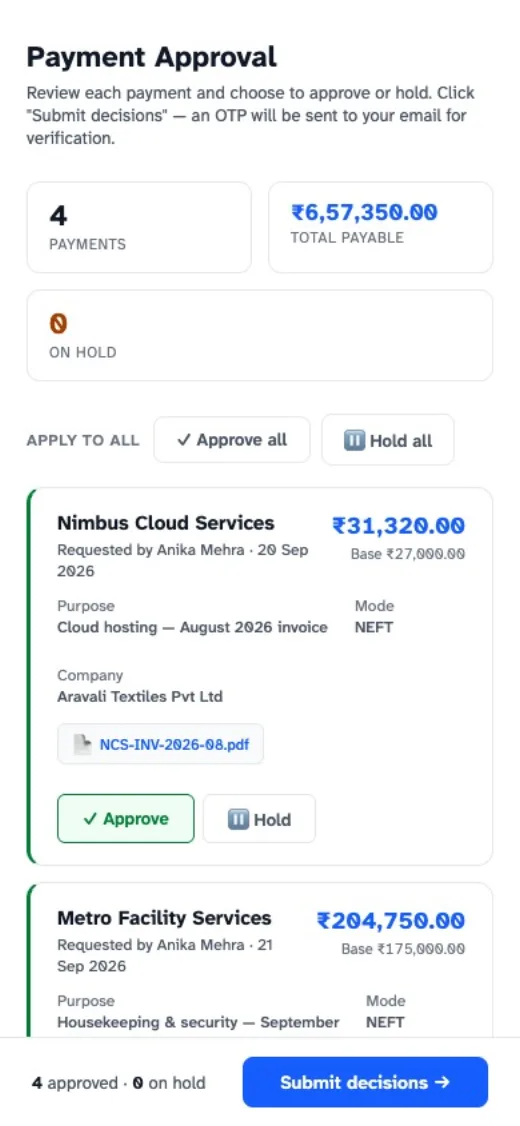
This is the real approval page, with made-up data: hold one payment with a reason, approve the rest, and confirm with the code from your email.
Done between two meetings.
For managers and approvers
Payment requests reach your email with the bill attached. Approve or hold each one, give a reason when you hold, and confirm with a one-time code. Nothing to install.
3 months free for one company · no card needed
today
Tuesday
This is the real approval page, with made-up data: hold one payment with a reason, approve the rest, and confirm with the code from your email.
Done between two meetings.
When something looks off
Hold the payment and write why. It isn't paid, and the accounts team sees your reason on the request.
A question, not a delay.
When it needs two people
Your business can ask for a second level of approval. The request reaches the second approver once the first has approved.
Two keys for the big ones.
No. You approve from the email on any phone or computer, and confirm with a one-time code.
Yes. Decide each payment on its own, give a reason for each one you hold, and submit them together.
Approving needs a one-time code sent to you, so a forwarded email on its own can't approve anything.
Start the free trial and set it up at your own pace, or book a walkthrough and we'll show you ExpenseIQ with a month of your own expenses.
3 months free for one company · no card needed